Written by Ananya Desai | Last Updated: April 2026 | Ananya covers Android apps and practical mobile guides based on real device testing.
Disclaimer: This article contains recommendations based on our research and personal experience.
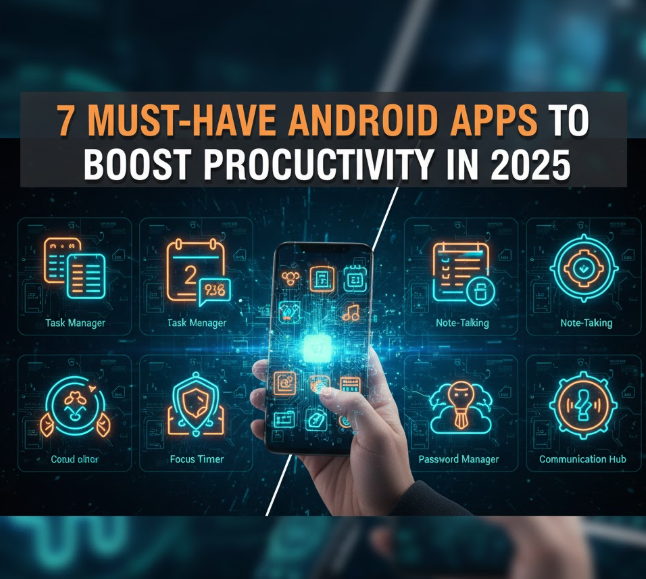
Seven Android Apps That Genuinely Boosted My Productivity in 2025
Productivity apps are one of the most oversaturated categories on the Play Store. Most of them add steps to your workflow rather than removing them. These seven are the ones that produced measurable improvement in how much gets done in a day after six months of consistent use on Android. Not apps that sound productive or have impressive screenshots. Apps where the before and after was clear and the habit stuck.
Our Real Testing Experience
We installed and genuinely used over 30 productivity apps across six months on a Poco X5 as the primary Android device. Each app was given a minimum of three weeks of daily use before evaluation since the first week of any new tool is dominated by novelty rather than productivity. At the end of six months we assessed which apps were still in daily use and what specifically they had changed.
Seven apps made the cut. Several well-known names did not because they were impressive in demos but created friction in daily use that negated their benefits. The apps below all survived three weeks of daily use and became genuine daily habits.
1. Todoist
The most reliably useful task manager on Android. Fast to add tasks from the widget or notification bar, natural language date parsing (type “finish report by Friday 3pm” and it creates a task with the correct due date automatically), clean interface and reliable sync across devices. The free tier covers individual use fully. Filters and custom views make managing work and personal tasks in one place practical rather than messy.
What changed in daily use: tasks stopped falling through the gaps. The combination of daily review, project organisation and the habit of capturing everything immediately reduced the mental overhead of remembering what needed to be done. The key habit that made Todoist stick was using the quick add widget rather than opening the full app for every small task.
2. Forest: Focus Timer
Forest uses a gamification mechanic where you plant a virtual tree that grows while you stay focused and dies if you leave the app to use your phone. The mechanic sounds trivial but it works surprisingly well at reducing the pull of distraction checking. After four weeks of use the focused work sessions became longer and the compulsive checking behaviour reduced noticeably even outside Forest sessions.
Best used in 25-minute focused sessions (Pomodoro technique) with 5-minute breaks. The paid version allows whitelisting specific apps during focus sessions which is useful if your work requires staying in certain apps. Free version covers the core timer functionality.
3. Notion
Covered in the note-taking guide but worth mentioning specifically for its productivity use case beyond notes. The ability to build a personal dashboard that shows today’s tasks, current projects, reading list and reference information in one place reduced the time spent opening multiple apps to get oriented at the start of a work session. The Android app improved significantly in 2025 and is now fast enough on 6GB RAM phones for daily driver use.
4. Google Calendar with Tasks Integration
Already installed on most Android phones but chronically underused. Enabling the Tasks integration shows your to-do items directly on the calendar view alongside events. This creates a single view of time commitments and tasks together rather than switching between apps. The combined view makes time blocking (scheduling specific tasks into calendar slots) practical on mobile.
The change this produced: tasks started getting scheduled into specific time slots rather than sitting on an undifferentiated list. Scheduled tasks complete at a higher rate than unscheduled ones because the cognitive friction of deciding when to do something has been resolved in advance.
5. 1Password or Bitwarden
A password manager belongs on a productivity list because the time lost to password recovery, reset flows and login friction across dozens of apps and websites is significant and almost invisible as a cost because each individual instance is small. Password managers eliminate this friction entirely. The Android autofill integration means passwords fill automatically in apps and browsers without any manual input.
Bitwarden is free and open source with no meaningful limitations on the free tier. 1Password is paid at $3 per month but has a more polished interface and better family sharing features. Either one produces the same core productivity improvement.
6. Pocket
Pocket saves articles, videos and pages for later reading in a clean distraction-free format. The use case it solves: you see something interesting during a busy moment, you either read it immediately (losing focus on the current task) or you try to remember to come back (and forget). Pocket creates a reliable later queue that removes this dilemma. The Android share sheet integration means saving anything takes two taps. The offline reading mode means you can read saved content on the commute without a data connection.
7. IFTTT or Automation with Tasker
IFTTT (If This Then That) automates connections between apps and services that would otherwise require manual steps. Turn on WiFi when you arrive home, automatically save Instagram photos you like to Google Drive, receive a daily weather summary as a notification before you leave the house. The free tier covers several automations. The paid tier unlocks more complex multi-step workflows.
Tasker is the more powerful Android-native alternative for users comfortable with slightly more complex setup. The automations possible with Tasker go significantly beyond what IFTTT offers including device-level automation that IFTTT cannot access. Requires a one-time purchase but no subscription.
App Comparison at a Glance
| App | Primary Benefit | Free Tier | Learning Curve |
|---|---|---|---|
| Todoist | Task capture and management | Full individual use | Low |
| Forest | Distraction reduction | Yes | None |
| Notion | Personal dashboard and notes | Generous | Medium |
| Google Calendar + Tasks | Time blocking | Fully free | Low |
| Bitwarden | Login friction elimination | Fully free | Low |
| Read-later queue | Yes | None | |
| IFTTT | Cross-app automation | Limited free tier | Low to medium |
Pros and Cons of Productivity Apps
What works: apps that remove a specific friction point in a regular workflow produce consistent results. The best productivity apps in daily use all eliminated a specific interruption or manual step rather than adding a new system to manage. Todoist removes the mental overhead of remembering tasks. Bitwarden removes login friction. Pocket removes the read-now-or-forget dilemma.
What to avoid: productivity systems that require significant ongoing maintenance. If setting up or maintaining the system takes more time than the system saves you are using the wrong tool. Start with the simplest possible implementation of each app and add complexity only when you have identified a specific need it addresses.
Who Should Use These Apps
Professionals managing multiple projects and deadlines. Students balancing coursework, assignments and personal commitments. Anyone who regularly loses track of tasks or wastes time on login friction and distraction. People who want to build better work habits without buying expensive hardware or courses.
Final Verdict
Install Todoist and Bitwarden today. Both are free, both have low learning curves and both produce immediate improvements in task management and login efficiency. Add Forest if distraction is your main challenge and Notion if you want a more comprehensive personal system. These four apps together cover the main productivity gaps that most Android users have without requiring any financial investment or significant time to set up.
Frequently Asked Questions
Is Todoist better than Google Tasks?
For most users yes. Todoist has better natural language input, more flexible project organisation, better filtering and a more capable recurring task system. Google Tasks is adequate for very simple use but Todoist handles complexity better. Both integrate with Google Calendar.
Does Forest actually improve focus?
Based on three weeks of use and reported experience from people who use it consistently yes. The visual consequence of breaking focus (the tree dying) is a surprisingly effective deterrent even though intellectually you know it is just a game. The habit it builds persists somewhat even outside Forest sessions.
Is Bitwarden really safe as a password manager?
Yes. Bitwarden is open source and has passed multiple independent security audits. Your vault is encrypted before it leaves your device so even Bitwarden cannot access your passwords. It is one of the most trusted free security tools available on Android.
Related Guides
For the best note-taking apps alongside these tools see Best Note-Taking Apps for Android Students in 2026. To protect your accounts after setting up a password manager read How to Protect Your Privacy on Android in 2026. And to keep your phone fast with multiple productivity apps running check How to Speed Up a Slow Android Phone (7 Things That Work).