Written by Ananya Desai | Last Updated: March 2026 | Ananya has tested Android apps daily for over 5 years.
Disclaimer: This article may contain recommendations based on our research and experience. We test apps ourselves before recommending them.
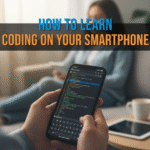
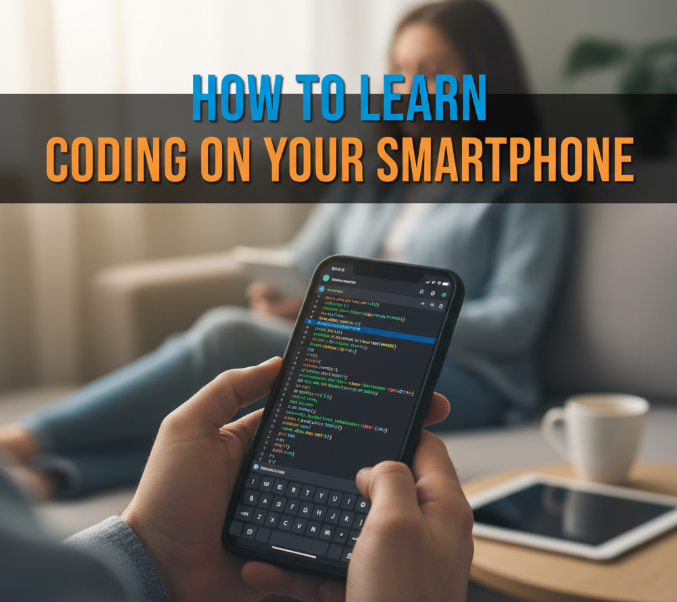
How to Learn Coding on Your Smartphone in 2025
You can genuinely learn to code on your Android phone. Not just the basics, actual programming fundamentals that translate to real projects. The tools available in 2025 are significantly better than what existed two years ago and several of them are designed specifically for phone-sized screens. If you have been waiting until you can afford a laptop or find free time to sit at a desk, stop waiting. Here is exactly how to start today, what apps work and what realistic progress looks like.
Our Real Experience Testing Coding Apps on Android
We tested six of the most popular coding apps on Android over two months, specifically on a Redmi Note 13 (a mid-range phone with a 6.67-inch screen) to evaluate how usable they are on a phone-sized display rather than a tablet. The biggest challenge in phone-based coding is typing. Small keyboards, autocorrect interfering with syntax, and cramped screens make writing actual code harder than consuming coding lessons. We tested specifically for this friction and noted which apps handle it well.
We also completed real beginner exercises in Python and JavaScript on each app to evaluate whether the learning actually translates to writing functional code, not just watching animations about coding concepts.
Finding: apps that emphasise gamification (points, streaks, badges) tend to teach vocabulary without building actual coding ability. Apps that make you type real code and get error messages teach faster and retain better even though they feel harder in the first week.
Best Apps for Learning to Code on Android
1. Mimo
The best structured beginner course on Android. Mimo breaks coding into very short lessons designed for phone use, each taking 3 to 5 minutes. Covers Python, JavaScript, HTML/CSS, SQL and Swift. The free tier gives you access to several courses. The paid plan ($15 per month or around $60 per year) unlocks everything. The code editor is basic but functional and the lessons actually require typing code rather than just selecting answers. After completing the Python fundamentals track you will understand variables, loops, functions and basic data structures, which is a real foundation.
2. Sololearn
Strong free tier covering Python, JavaScript, C++, Java, HTML, CSS, SQL and more. The community feature where you see other learners’ code and discuss exercises is genuinely useful for motivation and catching misconceptions early. The code playground lets you run actual code in the browser without needing anything installed. Paid plan unlocks AI hints and additional projects. Best free option for structured learning across multiple languages.
3. Grasshopper (by Google)
Completely free and designed specifically for absolute beginners with no prior experience. Teaches JavaScript fundamentals through puzzles that require writing real code with a touch-friendly keyboard that includes common coding characters without needing to switch keyboard layouts. Funded by Google so there is no monetisation pressure, which shows in how the content is structured. Best first app for someone who has never written a line of code before.
4. Dcoder
The best actual code editor for Android rather than a learning app. Supports over 30 programming languages, runs code directly on the device or through cloud execution, and has a keyboard extension with syntax-specific shortcuts that makes typing code on a phone significantly less frustrating. For learners who are past the beginner stage and want to practice writing real code on their phone, Dcoder bridges the gap between learning apps and actual development environments.
5. Enki
Best for working professionals who want to upskill in specific areas rather than learn from scratch. Enki covers data science, SQL, Python for data, JavaScript, and tech fundamentals with a daily practice format. The 5 to 10 minute daily sessions are designed for people with limited time. Less gamified than Mimo or Sololearn, which means it feels more like real practice and less like a game. Best for people who already know some programming and want to fill specific gaps.
App Comparison Table
| App | Best For | Languages | Free Tier | Actual Coding? |
|---|---|---|---|---|
| Mimo | Structured beginner course | Python, JS, HTML, SQL | Limited | Yes |
| Sololearn | Multi-language coverage | 10+ languages | Generous | Yes |
| Grasshopper | Absolute beginners | JavaScript | Fully free | Yes |
| Dcoder | Practicing real code | 30+ languages | Yes | Yes, full editor |
| Enki | Daily upskilling | Python, SQL, JS | Limited | Practice-focused |
Realistic Learning Path on a Phone
Week 1 to 2: Start with Grasshopper if you have zero experience. Complete the first two modules which cover variables, functions and basic logic in JavaScript. This takes about 30 minutes total spread over daily 5-minute sessions. The goal is to get comfortable with the concept that code is instructions the computer follows exactly, and small syntax errors matter.
Week 3 to 6: Move to Sololearn Python course (free). Python is the better language for beginners because the syntax is cleaner and the error messages are more readable. Complete the full beginner course which introduces loops, lists, functions, dictionaries and file handling. By the end you should be able to write a basic calculator, a simple guessing game and read and write text files.
Week 7 onward: Install Dcoder and start writing code without guided exercises. Take a simple project idea, for example a script that takes a number and tells you whether it is prime, and write it from scratch. This is where real learning happens. Making mistakes, reading error messages and figuring out solutions builds the problem-solving skill that courses cannot teach directly.
The Typing Problem and How to Solve It
Typing code on a phone keyboard is genuinely annoying. The main issues are: square and curly brackets require multiple key presses, autocorrect capitalises variables, and the keyboard takes up half the screen. Practical solutions that work:
Turn off autocorrect and autocapitalise for the code editor app specifically. On Android you can do this per-app in Settings then General Management then Keyboard. Use a third-party keyboard like Gboard or SwiftKey and set it to not autocorrect in code contexts. Dcoder has a built-in extended keyboard row above the main keyboard that includes brackets, semicolons and other common coding characters without switching. This alone halves the frustration.
On a 6-inch or larger screen the experience is acceptable for learning. On a phone smaller than 5.5 inches it becomes genuinely difficult. If you have a small phone and are serious about learning, a budget Bluetooth keyboard ($15 to $20) paired with your phone makes phone coding close to laptop coding in terms of input comfort.
Pros and Cons of Learning Coding on a Smartphone
Good: available everywhere, short sessions fit into commutes and breaks, lowers the barrier to starting because you do not need a computer, excellent free apps available, consistent practice is possible in a way that requires sitting at a desk is not for most people.
Limitations: complex projects requiring multiple files are impractical on a phone. Typing speed is significantly slower than a keyboard. Screen real estate limits how much code you can see at once. Phone-based coding is best for learning fundamentals and practising concepts, not for building full applications. A laptop or desktop is still needed for anything beyond beginner-to-intermediate level work.
Who Should Learn Coding on Their Phone
Students who do not own a laptop and want to start learning before they have access to a computer. Professionals who have short breaks during the day and want consistent practice without needing a desk. Anyone who has tried and failed to maintain a coding habit on a laptop because sitting down for long sessions did not fit their routine. Phone-based learning works well for people whose available time comes in short, unpredictable windows.
Who Should Not Rely Solely on Phone for Coding
Anyone targeting a programming job should move to a laptop as soon as possible. Interviews involve writing code in real development environments and phone-only practice does not prepare you for that context. Phone coding is a supplement and a starter, not a complete path to professional development work.
Final Verdict
Start with Grasshopper today. It is free, designed for phones and requires no prior knowledge. Complete the first module before deciding whether to invest time in Sololearn or Mimo. If you stick with it for two weeks you will have a clearer sense of whether coding is something you want to pursue further and whether phone-based learning works for your routine. The tools are good enough in 2025. The constraint is consistency, not the device.
Frequently Asked Questions
Can I get a programming job by only learning on my phone?
Phone-only learning can take you through the fundamentals but professional programming roles require experience with full development environments, version control (Git), project structure and tools that are impractical on a phone. Use phone learning to build your foundation then move to a computer for project work and portfolio building.
Which programming language should a complete beginner learn first?
Python. Clean syntax, readable error messages, huge community support, applicable to web development, data science and automation. Start with Python on Sololearn or Mimo and you will have transferable skills regardless of which direction you go next.
How long does it take to learn basic coding on a phone?
With 20 to 30 minutes of daily practice: basic Python fundamentals in 6 to 8 weeks. Enough to write simple scripts and understand programming logic in about 3 months. Enough to build a small complete project in 4 to 6 months of consistent daily practice.
Do coding apps work offline on Android?
Mimo and Sololearn have some offline functionality for downloaded lessons. Dcoder works offline for languages that run on-device. Grasshopper requires an internet connection. Download lessons before going offline if you plan to study during a commute without data.
Related Guides
To watch programming tutorials alongside your learning check Best YouTube Channels for Learning Tech in 2026. For keeping your phone running smoothly during heavy app use read How to Speed Up a Slow Android Phone (7 Things That Work). And for taking notes on concepts as you learn see Best Note-Taking Apps for Android Students in 2026.